Templates, Messages & Costs
WhatsApp for Business
Manage the WhatsApp messages your business sends. Create templates, choose automatic customer messages and keep an eye on usage and budget.
Free 30-minute walkthrough · reply within 1 working day
01Key capabilities
What it does.
- 01Write a template or copy one from the library
- 02Submit it to Meta for approval
- 03Map the approved template to a message
- 04Watch usage and budget alerts
At a glance
- Meta-approved templates
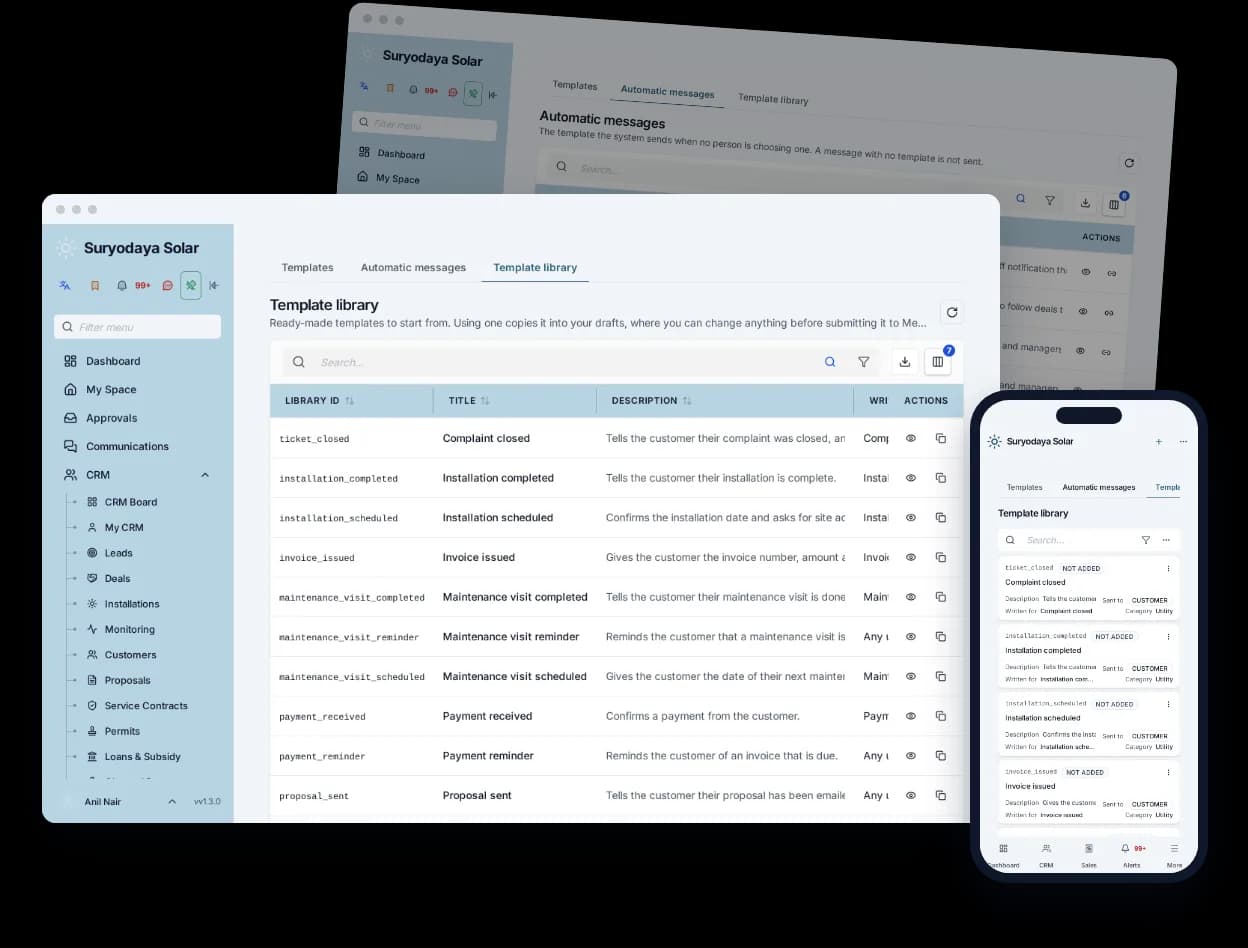
- Ready template library
- Customer consent
- Usage and budget alerts
- 01
Switched on in settings, with your own WhatsApp Business number connected.
- 02
Create message templates and submit them to Meta for approval from evo7.
- 03
Start from a library of ready templates and edit your copy.
- 04
Choose which approved template each automatic message uses, with names and amounts filled in.
- 05
Send yourself a test message before customers get it.
- 06
Customers receive WhatsApp messages only when they have agreed to them.
- 07
See estimated usage and the figures Meta reports for each period.
- 08
Set a monthly message quota and budget alerts for administrators.
- 09
Message a customer from their lead, deal, customer record or ticket.
- 10
In the shared inbox, snooze a chat, add a private note, transfer it to a team or tag several chats at once.
- 11
Send a broadcast to many contacts from the inbox, with its own permission. On WhatsApp it needs an approved template and reaches only contacts who agreed.
Can we send any message at any time?
No. WhatsApp allows free-form replies only within 24 hours of the customer’s last message. Outside that, you need a template approved by Meta.
Who charges for the messages?
Meta charges for WhatsApp messages. evo7 shows your usage so you can keep track.
Is the usage figure exact?
evo7 shows an estimate as messages go out. Meta’s own figures arrive later and can differ a little.
Does mapping a template start sending the message?
No. The message must also be switched on for your company, and the person receiving it must have agreed to WhatsApp.
Is there a WhatsApp bot?
An AI assistant for WhatsApp is coming soon. Today your team replies, and automatic messages go out for the events you switch on.
See it running on your own operations
A 30-minute walkthrough. Bring a recent quote, your stock sheet or a job that is stuck.
Free 30-minute walkthrough · reply within 1 working day