
Channel Partners & Dealer Portal
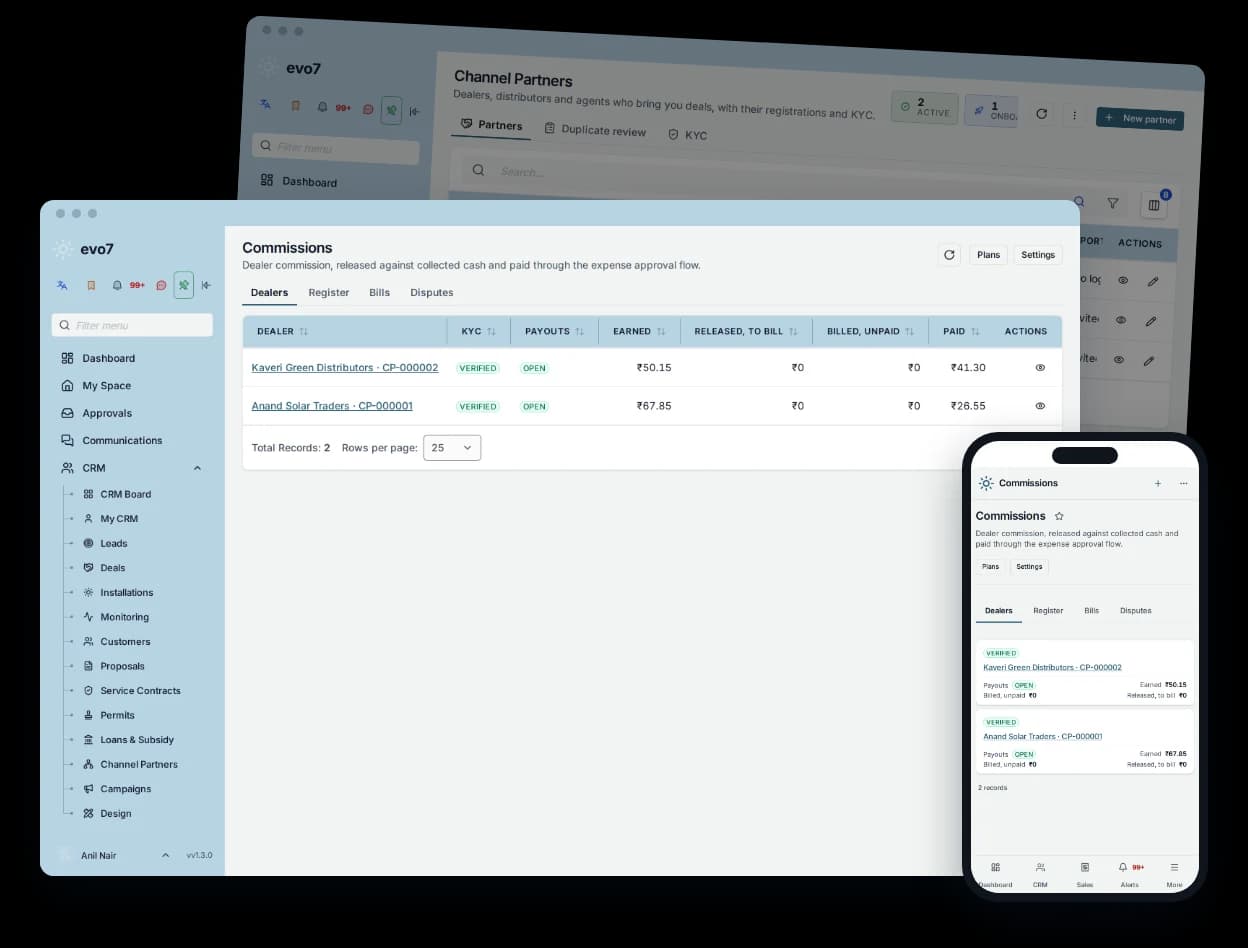
Dealers & Commissions
Manage your dealers, distributors and agents. Protect the leads they bring, work out their commission as customers pay, and give them their own login to follow it.
Free 30-minute walkthrough · reply within 1 working day
01Key capabilities
What it does.
- 01Add the Dealer and Check Their Details
- 02Dealer Registers a Lead or Is Linked to a Deal
- 03Customer Pays and Commission Becomes Due
- 04Bill, Approve, Deduct TDS and Pay
At a glance
- Separate dealer login
- PDF statements
- Role-based access
- 01
Profiles for dealers, distributors, agents and referral partners, with partner tier and agreement dates.
- 02
PAN, GST and bank detail checks. A bank change holds payouts until the new account is approved.
- 03
Dealers register leads that stay protected for them for a set time, with duplicate review.
- 04
Dealer portal login for their deals, leads and earnings. Switched on in settings.
- 05
Commission plans as a percentage, a flat amount or slabs, with an optional limit per deal.
- 06
Release commission in stages against the money your customer has actually paid.
- 07
Take back commission from the next bill when a payment is cancelled or credited.
- 08
Commission bills with TDS from your settings, sent through your expense approvals. Bill generation is switched on in settings.
- 09
Dealers upload their invoices when asked, download statements and raise disputes.
- 10
Pay and record the payment manually, or through your payout gateway once it is set up.
When does a dealer earn commission?
You set the stages in the commission plan, such as deal won, part of the money collected, installation commissioned or fully paid. Release is tied to money the customer has paid.
What can a dealer see?
Their own deals, including the customer details on those deals, their leads, earnings, bills, payouts and statements. Money pages open once their account is active.
What if two people bring the same lead?
A match with an existing lead, customer, open deal or another dealer’s lead goes to duplicate review for your team to decide.
How is TDS handled?
You set the rate and threshold with your tax advisor. The bill shows the TDS deducted, and so does the dealer statement.
Can we change a plan later?
Yes, by adding a new version from a later date. A deal already won keeps the version it was priced with.
See it running on your own operations
A 30-minute walkthrough. Bring a recent quote, your stock sheet or a job that is stuck.
Free 30-minute walkthrough · reply within 1 working day