Vehicles, Tools & Equipment
Fixed Assets & Depreciation
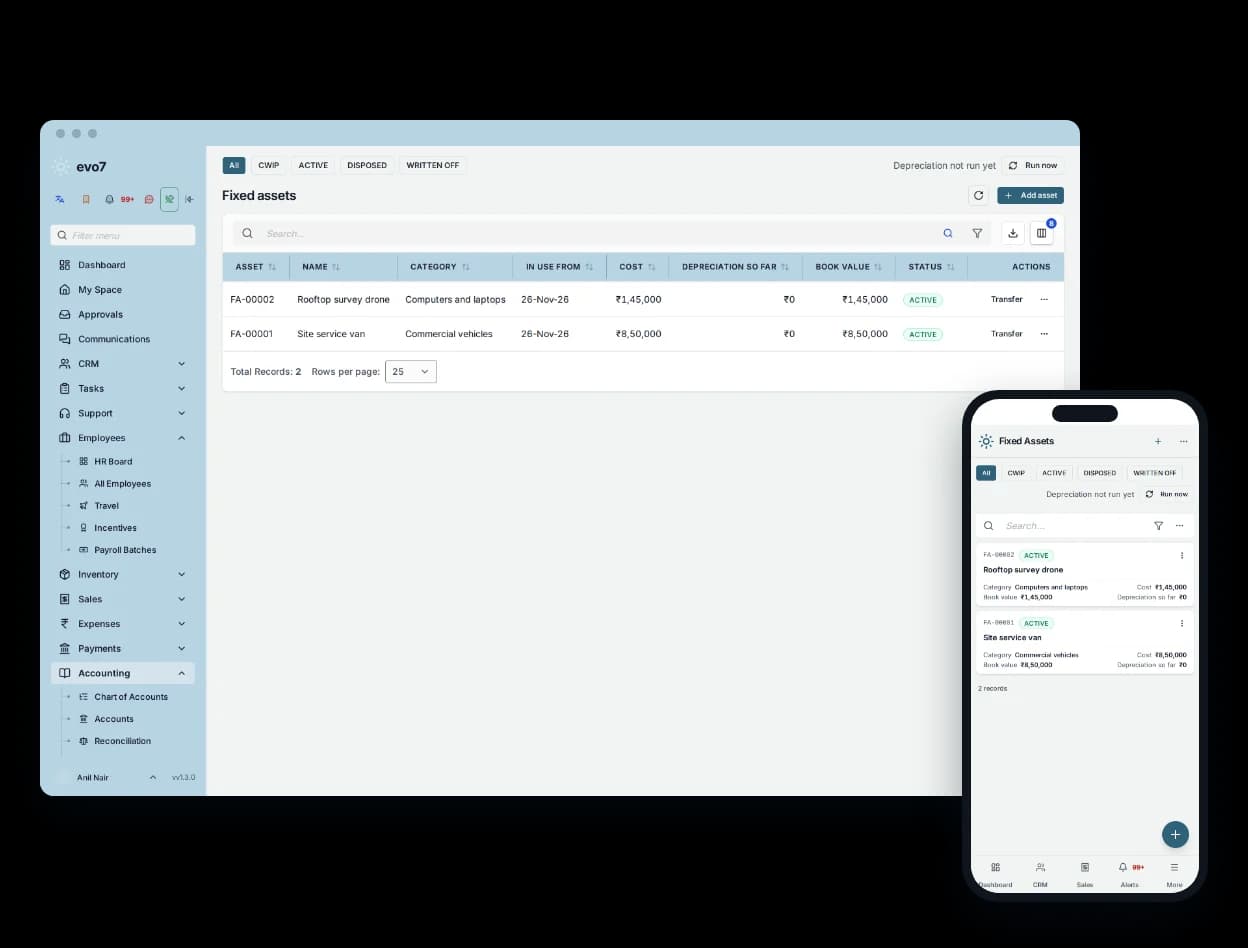
Keep a register of the vehicles, tools and equipment your business owns, charge depreciation, and record what happens to each item. Fixed assets is switched on in settings.
Free 30-minute walkthrough · reply within 1 working day
01Key capabilities
What it does.
- 01Add the asset and its category
- 02Put it to use
- 03Depreciation is charged to the books
- 04Transfer, sell or write it off
At a glance
- Asset register
- Straight line and WDV
- Disposal and transfer
- Switched on in settings
- 01
A register of your assets, grouped into categories.
- 02
Straight line or written down value depreciation.
- 03
Depreciation entries post to your books.
- 04
Keep items still being built or installed separate until you put them to use.
- 05
Transfer, sell or write off an asset.
- 06
Pick an income-tax depreciation class for each asset category, alongside your book depreciation. Check the rates with your CA.
02Get paid & keep the books
Works alongside
How do we turn fixed assets on?
Switch it on in Settings, under Billing and then Accounting. It starts off for every company.
Which depreciation methods are there?
Straight line and written down value, also called reducing balance.
What happens when we sell an asset?
Record the sale date and amount. evo7 charges depreciation up to that date and posts the entry.
Can we use this if our books are in Zoho Books?
No. When Zoho Books is the master for your books, fixed assets is not available in evo7.
See it running on your own operations
A 30-minute walkthrough. Bring a recent quote, your stock sheet or a job that is stuck.
Free 30-minute walkthrough · reply within 1 working day