
Site Visits to Reimbursement
NewEmployee Travel & Allowance
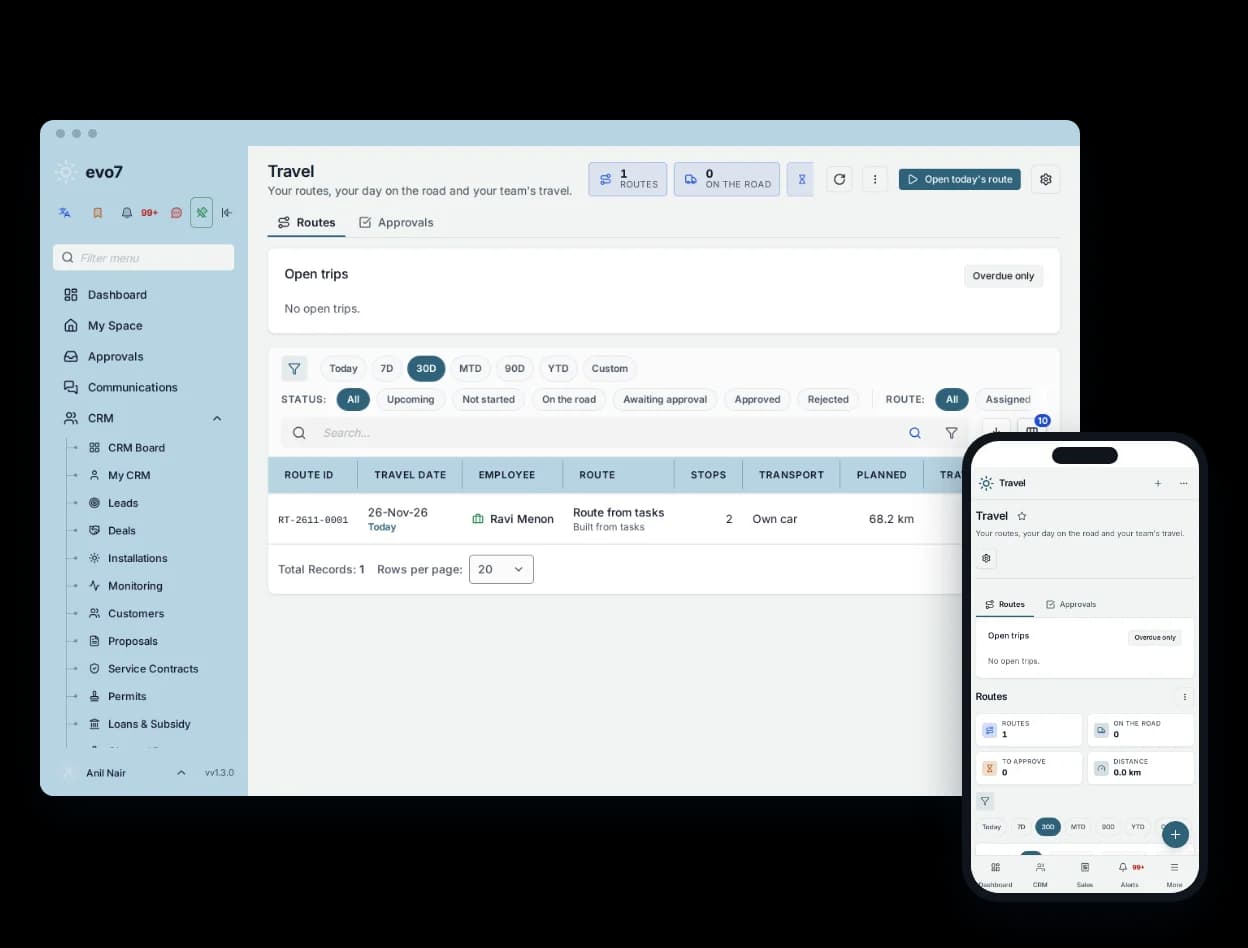
Plan the day’s site visits as a route and let field staff check in at each stop. The approved trip becomes a travel allowance that goes through your normal expense approval.
Free 30-minute walkthrough · reply within 1 working day
01Key capabilities
What it does.
- 01Manager assigns a route built from tasks
- 02Employee checks in at each stop
- 03Trip ends with odometer reading and receipts
- 04Approved trip becomes an allowance expense
At a glance
- Task-based routes
- Per-km rates and allowances
- Carpool and overnight trips
- Manager approval
- 01
Routes built from open tasks and assigned for one or more dates. Staff can also build one from their own tasks.
- 02
Reusable route templates for the rounds your team repeats.
- 03
Start the day, press Leaving and Reached at each stop, add unplanned stops, then end the day.
- 04
Each press records the phone’s location. If Reached is pressed far from the stop, a reason is asked and the manager sees a flag.
- 05
With the travel page already open, button presses are kept on the phone when there is no signal and sent when it returns.
- 06
Start from the office or the employee’s location, with overnight trips over several days.
- 07
Rate per kilometre for each way of travelling, with start and end dates.
- 08
Allowances per day, per night away, or after minimum hours or distance.
- 09
Company vehicles, and carpool where a colleague rides with a driver.
- 10
Odometer reading and photo for vehicle trips.
- 11
Bus, train or taxi tickets, toll, parking and other company expenses, with receipt photos.
- 12
Managers approve, correct the distance or reject, and the allowance goes to finance as an expense.
- 13
The approver can leave out an expense line with a reason.
- 14
Reminders for days not started or not ended. A day left open is ended at the last button press.
- 15
For an installation stop, a manager can confirm a better map pin, which updates the installation’s site location.
- 16
Distance and drive time from Google with your own key when switched on, or straight-line estimates without it.
Where do the stops come from?
Mostly from tasks. Each task stop is that customer, located by the billing address, so routes follow work you have already planned.
How is the allowance worked out?
The approved kilometres times your rate, plus your allowance rules, plus approved extra expenses.
How is the allowance paid?
After approval it is raised as an employee expense on the Travel account, which then goes through your usual expense approval.
Does a carpool passenger get distance pay?
No. A passenger earns no distance pay, but daily and night allowances still apply.
Do we need Google Maps?
No. Without it, routes are built on straight-line estimates.
Can we catch trips that look wrong?
Yes. A trip well over the planned distance or with a planned stop that was missed asks for an explanation, and managers see flags when approving.
See it running on your own operations
A 30-minute walkthrough. Bring a recent quote, your stock sheet or a job that is stuck.
Free 30-minute walkthrough · reply within 1 working day